
Introduction
The PetoWorks research team participated in Pwn2Own Tokyo 2026, where we successfully discovered and exploited vulnerabilities in three targets and finished the competition in fourth place. Pwn2Own Tokyo focused on automotive infrastructure and vehicle ECUs, with major target categories including EV chargers, in-vehicle operating systems, infotainment systems, and Tesla vehicles. Our team successfully demonstrated complete takeover scenarios against two EV chargers and one infotainment target.
In this post, we explain how we discovered vulnerabilities in one of those charger targets—the Phoenix Contact CHARX SEC-3150—and how we chained them together to take control of the device.
CHARX SEC-3150
Phoenix Contact's EV chargers have been selected as Pwn2Own targets every year. The CHARX SEC-3150 is an AC charging controller designed to manage the vehicle-charging process.
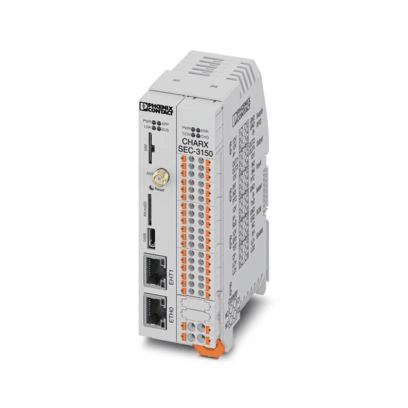
The CHARX SEC-3150 exposes a broad attack surface. It provides a WAN port for remote management, with externally accessible services including Modbus, MQTT, and a web-management interface. It also provides physically accessible USB, microSD, and SIM interfaces.
Under the Pwn2Own rules, eligible submissions had to target either the WAN interface under a normal operating configuration or a physically accessible interface. Before analyzing the internal services in depth, we therefore identified attack vectors that complied with the competition rules and focused our analysis accordingly.
Accessing the file system and establishing a debugging environment was relatively straightforward. The CHARX SEC-3150 firmware is available from the official website. Because the firmware image is not encrypted, its file system can be extracted through firmware carving.

The CHARX SEC-3150 also provides SSH access through an unprivileged user account. The device implements effective privilege separation internally, meaning that without root privileges, it is not possible to debug most processes or access files of operational significance. We therefore sought to identify the vulnerabilities primarily through static analysis.
Vulnerabilities
We discovered several vulnerabilities in the device and developed a complete takeover scenario by chaining three of them together. None of the individual vulnerabilities was sufficient on its own to take control of the device. By combining them, we were able to satisfy the prerequisites for each stage of the attack and successfully demonstrate a full device takeover.
The three vulnerabilities used in our exploit chain are described below.
Vulnerability #1 : ModBus Server Exposed Dangerous Function Denial-of-Service Vulnerability
CWE : CWE-749 - Exposed dangerous method or function
CVSS : 6.5 AV:A/AC:L/PR:N/UI:N/S:U/C:N/I:N/A:H
Description:
The CHARX SEC-3150 can be controlled and monitored through Modbus. TCP port 502 is open by default and is managed by the CharxModbusServer service, which provides the device's general Modbus functionality. Among the available operations is a function that can reboot the device.
However, the service does not implement appropriate access control. Any client on the same network as the charger can connect to TCP port 502. An attacker can therefore modify the register responsible for rebooting the device and trigger an arbitrary reboot.
This vulnerability affects only the availability of the device. When chained with the following vulnerabilities, however, it becomes a critical building block in a much more impactful attack.
Vulnerability #2 : Race Condition Firewall Bypass Vulnerability
CWE : CWE-696 - Incorrect Behavior Order
CVSS : 6.4 AV:A/AC:H/PR:N/UI:N/S:U/C:L/I:H/A:L
Description:
The CHARX SEC-3150 uses a firewall to restrict access to ports associated with sensitive functionality. Although several critical services bind to 0.0.0.0, the firewall prevents them from being reached externally. As shown below, only explicitly permitted service ports are accepted; all remaining traffic is dropped.
At Pwn2Own Tokyo 2024, several exploit chains took advantage of missing access control in CharxSystemConfigManager, a service capable of modifying critical device settings. In the latest firmware, the service still binds TCP port 5001 to 0.0.0.0, but the firewall allows access only from localhost.
This design prevents access to the sensitive service unless the firewall can be bypassed.
While investigating potential firewall bypasses, we analyzed the routines responsible for enabling and disabling the firewall. The firewall is started and stopped through initialization and shutdown scripts under the Linux /etc/rc[n].d directories. We identified incorrect ordering in the shutdown scripts.
The shutdown-script directory was structured as follows:
These scripts stop and clean up numerous services and daemons. The critical issue is the order in which they execute. As the listing shows, the firewall is disabled before sensitive application and network services are terminated. This creates a brief window during device shutdown in which the firewall is no longer active but critical services remain reachable.
If an attacker sends a request during this narrow window, they can reach services that should otherwise be restricted to localhost. This results in a race-condition vulnerability. We tested the idea and were able to win the race with a very high success rate.
This bypass allowed us to access CharxSystemConfigManager and modify sensitive device settings, including default service ports, network configuration, and service options. It also exposed other sensitive internal services.Even so, access to these settings alone did not amount to a complete takeover of the device.
That final step required our third vulnerability.
Vulnerability #3 : Configuration Injection Remote Code Execution Vulnerability
CWE : CWE-77 - Improper Neutralization of Special Elements used in a Command (’Command Injection’)
CVSS : 7.5 AV:A/AC:H/PR:N/UI:N/S:U/C:H/I:H/A:H
Description:
As part of our standard research process, we review previously disclosed vulnerabilities affecting each device and search for related variants. This particular vulnerability had previously been discovered by NCC Group in another model from the same vendor, the CHARX SEC-3100. The case illustrates why vendors must track and manage reported vulnerabilities across their entire product portfolio, even after the original issue has been disclosed.
The CHARX SEC-3150 uses the open-source pppd (Point-to-Point Protocol Daemon) to implement modem functionality. The daemon operates using configuration values stored in files under /etc/ppp, including the APN, phone number, and default-route settings. All of these values can be modified through the previously mentioned configuration-management daemon, CharxSystemConfigManager.
An example of these settings is shown below.
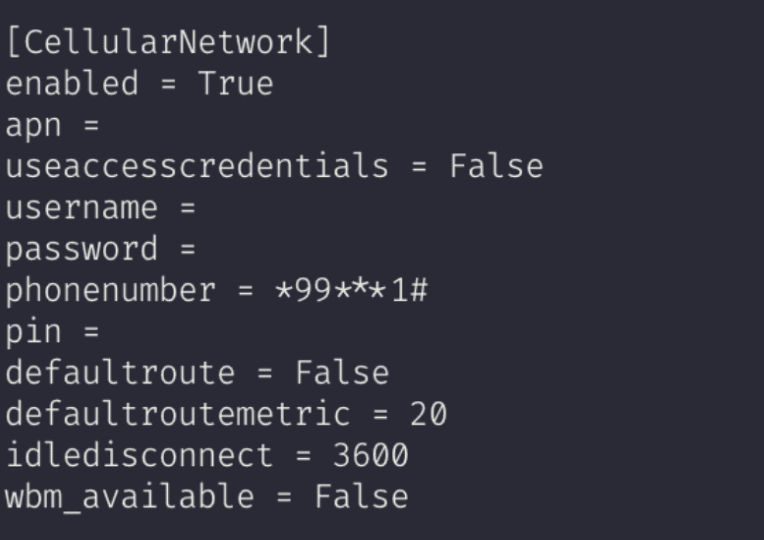
Among the available settings, we found that the idledisconnect option was not validated correctly. When the pppd configuration is modified through CharxSystemConfigManager, the idledisconnect value should be restricted to an integer. In practice, however, the service accepts arbitrary characters, including newline characters.
Because pppd parses its options line by line, an attacker can use a newline to inject additional configuration directives.
One of the available pppd options is init, which executes a script from a supplied path when the service starts. Surprisingly, the init option accepts not only a file path but also additional arguments. It also permits shell metacharacters and command separators such as | and ;, allowing multiple commands to be chained together. The relevant manual entry is shown below.

If an attacker can modify the idledisconnect value through CharxSystemConfigManager, they can inject a new init directive and use it to execute an arbitrary binary or script with attacker-controlled arguments.
We combined the three vulnerabilities into the following attack scenario:
Trigger a device reboot through Vulnerability #1, the Modbus reboot vulnerability.
During shutdown, exploit Vulnerability #2, the race-condition firewall bypass, to access
CharxSystemConfigManagerover the WAN interface and modify critical device settings.Exploit Vulnerability #3 by injecting a reverse-shell command into the
pppdinitoption through a manipulated configuration value.Trigger another device reboot using Vulnerability #1.
When
pppdrestarts during the boot process, it executes the reverse-shell command registered through the injectedinitoption, giving the attacker control of the device.
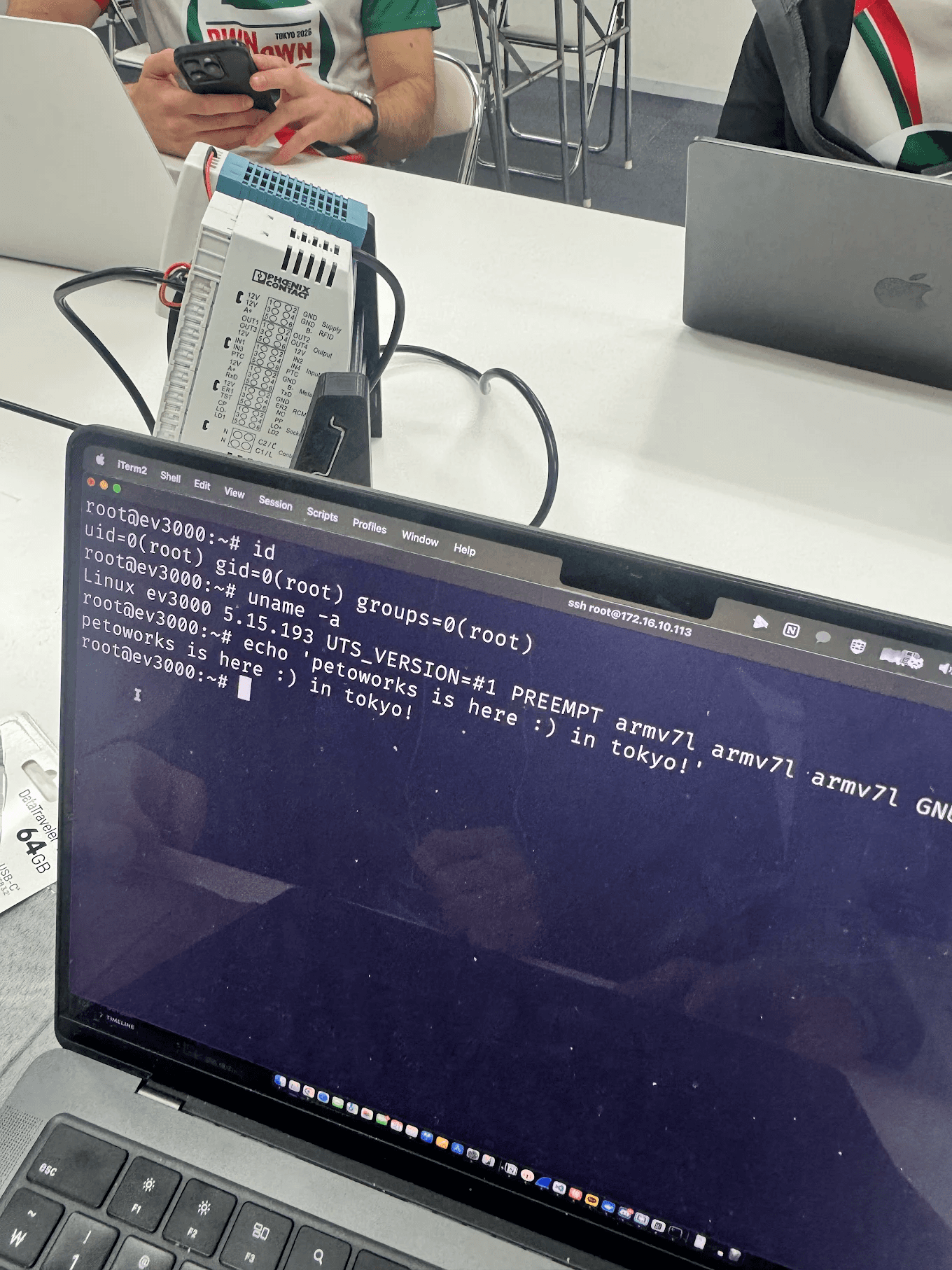
Because pppd runs with root privileges, successful exploitation provides full access to the underlying system.
Our exploit chain achieved a success rate of more than 95%. On the day of the competition, however, the first run of our script failed—fortunately, the second attempt succeeded. ;)
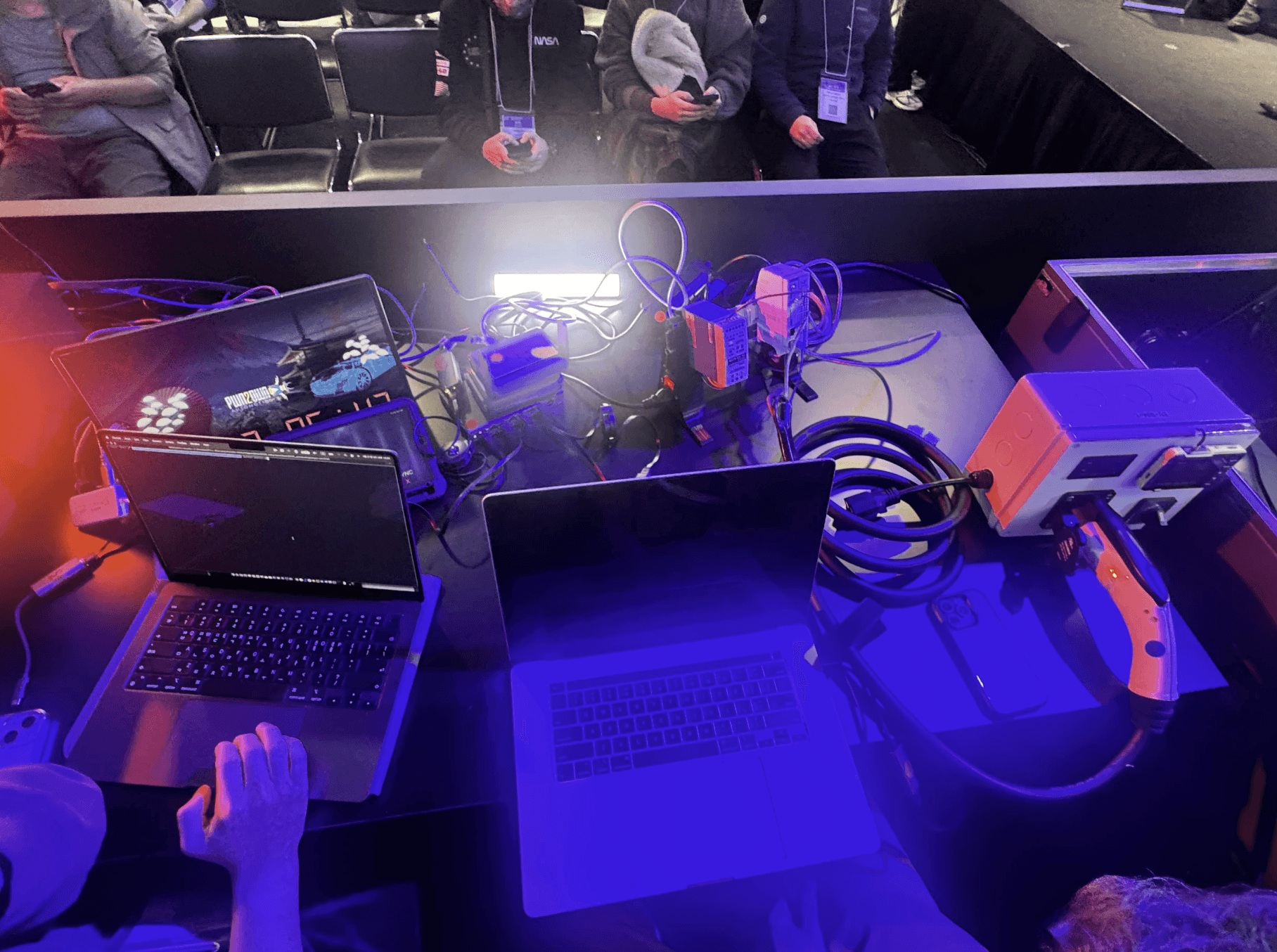
We successfully demonstrated this attack scenario at Pwn2Own Tokyo. We would like to thank the ZDI team for organizing such an engaging and enjoyable competition, as well as the Phoenix Contact team for maintaining a responsible disclosure process and delivering an appropriate patch.
Conclusion
The competition took place in January 2026. After our successful demonstration, we conducted a private disclosure with the Phoenix Contact security team, during which we discussed the technical details of the vulnerabilities and potential remediation strategies. The vulnerabilities were publicly disclosed on July 30 and were appropriately addressed in firmware version 1.9.0.
This research demonstrates how vulnerabilities with relatively limited individual impact can become part of a high-risk scenario when chained together. It also shows that previously disclosed vulnerabilities can reappear in related products if they are not tracked and remediated systematically across a vendor's product portfolio.
PetoWorks has extensive knowledge and practical experience in automotive and embedded-system security. We support the complete security-improvement lifecycle, from preliminary research and vulnerability analysis to remediation guidance and technical support.